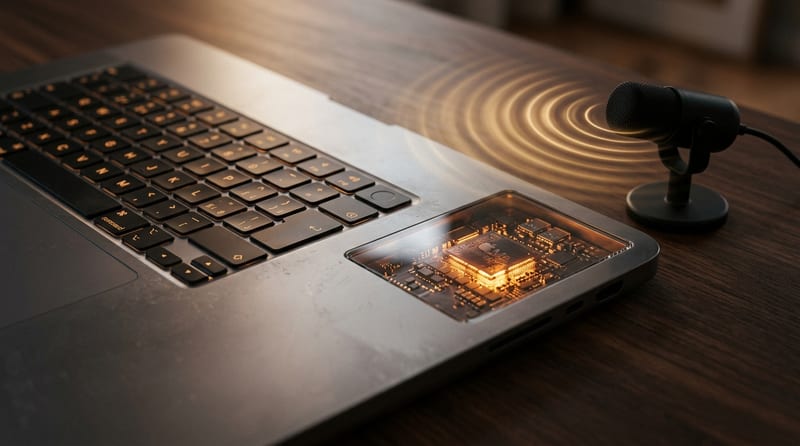
Every dictation app on macOS wants to send your voice to the cloud. Ghost Pepper refuses.
Ghost Pepper is an open-source, fully local speech-to-text application for macOS that processes everything — transcription, filler-word cleanup, meeting summaries — directly on your Apple Silicon chip. No cloud APIs. No data leaving your machine. No subscription fees. It just hit v2.1.2 with over a thousand GitHub stars, and it's the most privacy-respecting voice tool available on the Mac today.
Hold, Speak, Release, Done
The core interaction is dead simple: hold the Control key to record, release to transcribe. The transcribed text is automatically pasted into whatever text field has focus. No app switching, no copy-paste dance, no waiting for a server round trip.
Behind the scenes, Ghost Pepper runs a two-stage pipeline:
- Speech recognition via WhisperKit converts audio to raw text on-device
- LLM cleanup via a local Qwen 3.5 model removes filler words ("um," "uh," "like") and corrects self-interruptions
Both stages execute entirely on your Mac's Neural Engine and GPU. The cleanup step typically takes 1–2 seconds with the default 0.8B parameter model.
Pick Your Model Stack
Ghost Pepper doesn't lock you into a single transcription engine. You choose based on your speed, accuracy, and language needs:
| Model | Size | Best For |
|---|---|---|
| Whisper tiny.en | ~75 MB | Fastest option, English only |
| Whisper small.en | ~466 MB | Default — best English accuracy |
| Whisper small | ~466 MB | Multilingual support |
| Parakeet v3 | ~1.4 GB | 25 languages via FluidAudio |
| Qwen3-ASR 0.6B | ~900 MB | 50+ languages (macOS 15+) |
For text cleanup, three Qwen 3.5 variants are available: the 0.8B model (~535 MB, 1–2s latency), the 2B model (~1.3 GB, 4–5s), and the 4B model (~2.8 GB, 5–7s). Models download automatically from Hugging Face on first use and are cached locally.
Meeting Transcription That Stays on Your Machine
Beyond quick dictation, Ghost Pepper captures entire calls — recording audio while generating transcripts, notes, and AI-powered summaries saved as markdown files. This makes it a genuine alternative to cloud-based meeting transcription services like Otter.ai or Fireflies, minus the privacy trade-off.
The app uses AVAudioEngine for microphone input and ScreenCaptureKit for system audio capture, so it can transcribe both sides of a video call without routing audio through a third-party server.
Privacy You Can Actually Verify
Most apps claim to be private. Ghost Pepper ships a PRIVACY_AUDIT.md file in its repository documenting exactly which features were audited and confirmed as local-only. The audit covers speech-to-text, text cleanup, audio recording, meeting transcription, summary generation, OCR (via Apple Vision framework), and file storage.
Transcriptions aren't written to disk by default. Debug logs exist only in memory during runtime.
There are optional cloud integrations — Zo AI chat, Trello, and Granola — but they require user-supplied API keys and remain disabled by default. The core transcription pipeline is air-gapped from the internet.
For enterprise deployment, MDM administrators can pre-approve accessibility permissions using PPPC payloads with bundle ID com.github.matthartman.ghostpepper and Team ID BBVMGXR9AY.
The Competitive Landscape Is Crowded — But Ghost Pepper Stands Out
The macOS dictation space is saturated. As one Hacker News commenter put it: "This thread is a support group for people who have each independently built the same macOS speech-to-text app." Commercial options like SuperWhisper and WisprFlow exist, plus Apple's built-in dictation has improved significantly.
Ghost Pepper's differentiator is the combination of full local processing, open-source transparency, and zero cost. SuperWhisper and WisprFlow charge subscription fees. Apple's dictation lacks the LLM cleanup stage that removes filler words. And none of the commercial options ship a verifiable privacy audit.
The project isn't without rough edges. Users have reported occasional LLM cleanup misfires — the model sometimes reinterprets context rather than cleaning it — and the transcription isn't streamed live (you speak, then wait for results). Developer Matt Hartman has been actively addressing feedback, fixing a microphone permission bug shortly after it was reported.
System Requirements
- macOS 14.0 (Sonoma) or later
- Apple Silicon (M1 or newer) — Intel Macs are not supported
- Microphone and Accessibility permissions
- ~540 MB minimum disk space for default models
Installation is straightforward: download the DMG from GitHub releases, drag to Applications, grant permissions. You can also build from source via Xcode — the codebase is 97.8% Swift under the MIT license.
The Bottom Line
Ghost Pepper solves a real problem that most voice tools ignore: how to get fast, accurate dictation and meeting transcription without surrendering your audio to someone else's servers. It won't match the polish of commercial alternatives, and it requires Apple Silicon. But for developers, privacy-conscious professionals, and anyone tired of paying subscriptions for basic dictation, it's the most honest option on macOS right now. The code is open, the audit is published, and your voice stays on your machine.