Every developer who has joined a new team in the past decade knows the ritual: a senior engineer opens the project, traces a request through six files, and says, "Right, so the way this works is..." Twenty minutes later you have either understood the system or quietly opened LinkedIn.
Understand-Anything, an open-source Claude Code plugin built by Yuxiang Lin (GitHub handle Lum1104), is trying to automate that conversation. It just blew past 37,000 GitHub stars — making it one of the fastest-growing developer tools of 2026 — and the pitch is unusually concrete for the genre.
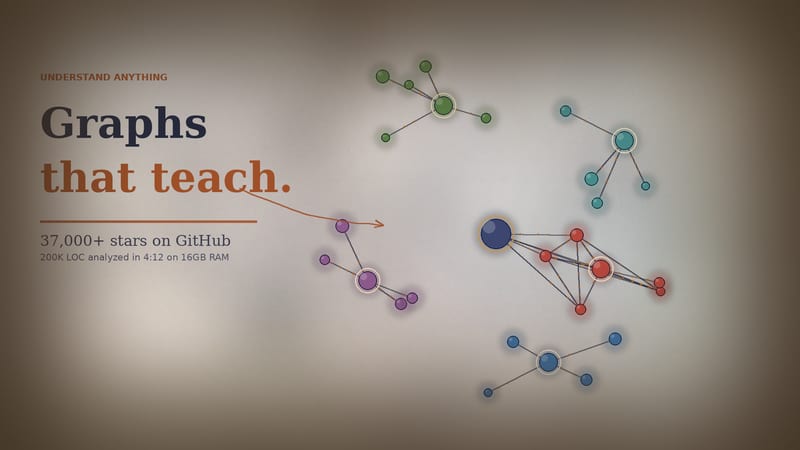
"Graphs that teach, not graphs that impress."
That tagline is doing real work. It is also a swipe at every architecture-diagram tool that produces a beautiful PNG nobody can navigate.
What the tool actually does
You point Understand-Anything at a codebase. A multi-agent pipeline scans every file, function, class, and dependency, then writes the result to .understand-anything/knowledge-graph.json. From there, an interactive React dashboard renders the graph — color-coded by architectural layer, searchable, clickable — and on every node you get the source, the relationships, and a plain-English summary generated by the agent pipeline.
The performance claim is the part that made the project go viral. The README cites 200,000 lines of code analyzed in 4 minutes 12 seconds on a 16GB RAM machine, roughly 3x faster than manual diagramming tools thanks to agent parallelism. For a junior engineer onboarding to a real codebase, that is the difference between a week of head-scratching and an afternoon.
The install, in two lines
For Claude Code users, the entire installation is:
/plugin marketplace add Lum1104/Understand-Anything
/plugin install understand-anything
For Cursor, there is no install step at all — Cursor auto-discovers the plugin via .cursor-plugin/plugin.json the moment the repo is cloned into the workspace. The same package ships integrations for Codex, GitHub Copilot, and Gemini CLI, which is rare for a single-author project at this stage.
There is also a curl-based installer that clones the repo to ~/.understand-anything/repo and symlinks the right binaries for whichever IDE you choose, after which you restart your CLI.
Beyond the graph: the command set
The graph is the headline feature, but the commands are where Understand-Anything starts to look like a serious daily-use tool rather than a demo:
/understand-chat— talk to the codebase as if it were a colleague/understand-diff— explain what just changed in a PR, in plain English/understand-explain— focus on a single function or module/understand-onboard— generate a guided tour for a new hire/understand-domain— surface the business logic, separated from the plumbing/understand-knowledge— query the graph directly for relationships
Each command accepts a --language flag, so the architecture summaries, node descriptions, and onboarding content can be generated in your team's preferred language — handy for global codebases where English-only docs are a quiet equity tax on the rest of the team.
The collaboration angle nobody is talking about
Here is the design choice that elevates Understand-Anything above the usual "AI tool that explains your code" wave: the graph is just JSON.
Commit .understand-anything/knowledge-graph.json to the repo. Now every teammate skips the analysis pipeline entirely — they pull, run the dashboard, and get the same view you have. PRs can ship with an updated graph slice. Onboarding docs become a git clone away. Docs-as-code, but for system architecture.
That single decision turns a personal productivity tool into a team artifact, and it is the reason this project pulled ahead of the dozen other "codebase explorer" tools that launched in the same six months.
The honest caveats
Three things to weigh before you bet a workflow on this:
- Project age. The author has publicly said the project was "vibe coded in a day" for personal use and went viral unexpectedly. The release cadence is brisk — v2.7.3 shipped in May 2026 — but this is not a mature enterprise tool. Expect rough edges on exotic build systems and very large monorepos.
- Agent cost. The pipeline calls a hosted LLM. On a 200K-LOC codebase, that bill is non-trivial, and it scales with how often you re-run the analysis. Caching the graph in version control is essential, not optional.
- Privacy. If your codebase is under NDA or contains sensitive logic, the multi-agent pipeline sends source to whichever provider you have configured (Claude, Codex, Cursor, etc.). The local-only execution path exists but requires more setup.
The Bottom Line
Most "AI for your codebase" tools fall into one of two buckets: chatbots that pretend to understand your code, and diagram generators that produce posters. Understand-Anything sits in a third lane — a navigable artifact your whole team can use, generated once and committed to the repo.
At 37K stars in a few months, the developer-tool market has voted. The interesting question now is whether Lin can keep up with the velocity of a 37K-star project as a solo maintainer, or whether the project gets absorbed into one of the major IDE vendors first. Cursor's auto-discovery integration suggests at least one of them was paying attention.
For the rest of us: clone it, point it at the codebase you have been afraid to refactor, and see what falls out of the graph. If nothing else, it is the fastest path from "I have no idea how this works" to a screenshot you can show your manager.