Every meeting-notes tool starts the same way: a bot with a robotic name slides into your call, a little icon announces that "Otter is recording," and everyone in the room subtly stiffens. Granola built its entire product around deleting that moment. No bot joins. Nothing announces itself. It just listens to your device's audio and hands you clean notes when you're done.
That single design decision has carried Granola a long way — a $125 million Series C in March 2026 at a $1.5 billion valuation, led by Index Ventures. So the question for 2026 isn't whether Granola is clever. It's whether the no-bot notetaker actually earns a spot in your workflow, and whether the $14-a-month Business plan is money well spent.
How Granola actually works
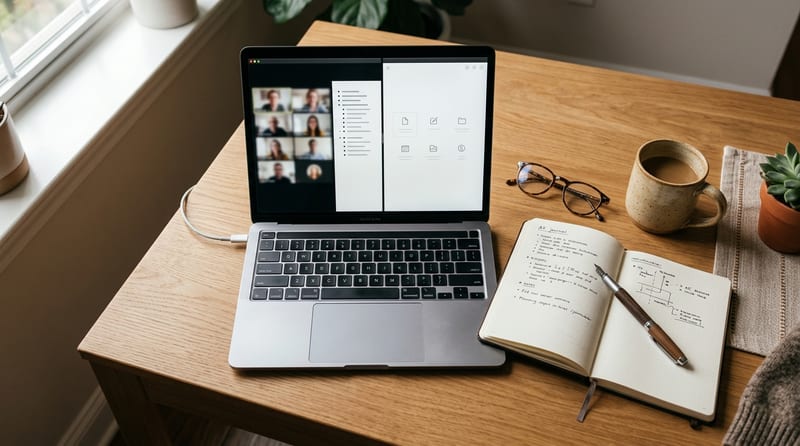
Granola inverts the usual notetaker flow. Instead of dumping a raw transcript on you and calling it a day, it expects you to jot rough notes during the call — bullet fragments, half-sentences, whatever you'd normally scribble. When the meeting ends, the AI merges your notes with what it heard and produces a polished, organized writeup.
The result is notes that reflect what you cared about, not a generic summary of every word spoken. It's a meaningfully different philosophy from tools that transcribe first and summarize blindly.
Two things make this work in practice:
- No meeting bot. Because Granola listens to your device audio rather than joining as a participant, nobody sees a recording bot. People behave more naturally, and you avoid the awkward "should I let this thing in?" negotiation on external calls.
- Templates. Granola ships 29+ customizable templates — 1:1s, sales discovery, standups, user interviews — so the output is shaped for the kind of meeting you're actually in.
Accuracy and the CRM story
Transcription quality is where a notetaker lives or dies. Granola lands around 90–92% transcription accuracy, which edges out Otter.ai (roughly 85–88%) and holds even with Fireflies. For clear one-on-one and small-group audio, that's genuinely reliable.
The Business plan at $14/user/month is where Granola stops being a personal gadget and starts being team infrastructure. It adds unlimited meeting notes, access to more advanced AI models, shared team folders, and CRM integrations with HubSpot, Attio, and Affinity. For a sales or customer-facing team, piping structured call notes straight into the CRM is the feature that justifies the line item.
In 2026 Granola also leaned into the developer and agent ecosystem, shipping a Model Context Protocol (MCP) server plus personal and enterprise APIs — letting your meeting context flow into external AI workflows rather than staying trapped in one app. That's a smart move as more teams wire their tools into a shared AI layer.
Where Granola stumbles
No tool this opinionated is without trade-offs, and Granola's are worth knowing before you commit.
Speaker attribution breaks down at three or more participants. In a busy group call, Granola struggles to reliably tag who said what. For 1:1s it's fine; for a ten-person planning meeting, don't trust the attribution.
There's no native auto-distribution of notes. Granola won't automatically fire your writeup off to a shared channel or destination the moment a meeting ends — you're doing more of that routing yourself than competitors require.
It's macOS-first and Google-Workspace-friendly. A 2026 iOS app closed part of the mobile gap, but teams mixing email providers or leaning heavily on Windows will feel more friction than Mac-and-Google shops. If your org lives in that ecosystem, Granola feels native; if it doesn't, expect rough edges.
Who should actually buy it
Granola was co-founded in 2023 by Chris Pedregal, a former Gmail product manager at Google, and the product's DNA shows it: opinionated, clean, built for people who live in back-to-back calls.
It's an easy recommendation for founders, executives, consultants, product managers, and client-facing teams — anyone who wants sharp notes without a bot announcing itself on every external call. The free plan is a genuine on-ramp (no credit card required), so you can validate the workflow before paying.
It's a harder sell if your meetings are large multi-speaker calls where attribution matters, if you need automatic note distribution, or if your stack is Windows- and non-Google-heavy. Those aren't dealbreakers for everyone, but they're exactly the spots where a bot-based competitor might serve you better.
| Consideration | Granola's answer |
|---|---|
| Bot joins the call? | No — listens to device audio |
| Transcription accuracy | ~90–92% |
| Free plan | Yes, no credit card |
| Business plan | $14/user/month |
| Best for | 1:1s, sales, exec calls |
| Weak spot | 3+ speaker attribution, no auto-distribution |
The Bottom Line
Granola is the best version of a specific idea: notes that start with what you care about, captured without a bot in the room. For 1:1s, sales calls, and executive meetings on a Mac-and-Google stack, the $14/month Business plan is easy to justify — the CRM integrations and MCP support alone make it more than a note-taking toy. Just go in clear-eyed about the limits. If your world is big multi-speaker meetings that need airtight speaker labels and automatic distribution, Granola's elegance works against it. But for the calls most professionals actually spend their days in, it's the notetaker that finally gets out of the way.